
Plaid is the intermediary that connects a financial app to your bank. It publishes security controls, but the access you grant depends on the bank, the connection method and the app requesting it. Before continuing, check where you sign in, which accounts are included and how to disconnect them. This guide uses information checked on September 30, 2026.
What is Plaid, and why is it in another app?
Plaid provides the connection service that apps use to receive financial data. It is neither your bank nor the budgeting app you opened. A Plaid window can therefore appear during setup even though you never separately chose to install anything from Plaid.
Think of the decision in stages. You choose an app, the app asks for a bank connection, and Plaid helps establish that connection. Each organization has its own role and privacy terms. Trusting your bank doesn’t automatically answer what the receiving app will do with your information.
You can stop at the connection screen and decide whether the feature needs bank access at all. For a one-off budget, entering totals in a monthly budget calculator may cover the task.
Does Plaid see your bank password?
There are different login routes. With OAuth, Plaid redirects you to your financial institution’s website or mobile app, where you authenticate with the bank. Plaid’s documentation says a number of US institutions use this route, particularly larger banks.
Without OAuth, Plaid’s privacy policy says it may collect login information required by the account provider. That can include a username, password, security answers or one-time codes. A general claim that Plaid never receives bank credentials would therefore miss an important distinction. Plaid’s OAuth documentation describes the redirect process.
Before approving, look at the accounts covered by the connection. The privacy policy says a single set of credentials can provide access to checking, savings, credit card and joint accounts associated with that login. Don’t assume selecting a bank means the request concerns only the account you had in mind.
What happens to the data?
Plaid’s privacy policy, effective December 8, 2025, explains that its systems are designed to delete personal data when an app removes a connection, subject to exceptions. Those include another active connection, legal requirements, fraud prevention and information that has been anonymized. Removing a connection is therefore not a promise that every record disappears immediately.
Plaid says it does not sell or rent financial information to outside companies. Its policy separately allows some sharing with third parties for advertising through cookies. These statements concern different uses of data; read the policy alongside the shorter security page.
There is also the receiving app’s copy. Cutting the Plaid connection does not erase information an app has already stored. To stop sharing and remove existing records, review both Plaid’s controls and that app’s deletion process.
What security measures does Plaid report?
On its security page, Plaid describes AES encryption for stored information, TLS for transmission, multifactor authentication and continuous monitoring. It also reports compliance with recognized security and privacy standards.
These controls explain how the company says it protects information. They do not decide whether you want an app to receive a detailed picture of your finances. An encrypted connection can still carry more information than you want to share.
For your decision, write down the benefit you expect: automatically importing expenses, combining account balances or supporting a payment feature. Then compare that benefit with the permissions on the screen. If the purpose remains unclear, you can leave the connection unfinished while you check the app’s explanation.
The Plaid settlement and the regulatory context
In July 2022, a federal court granted final approval to a $58 million settlement in the Plaid consumer privacy litigation. The allegations concerned collection of bank data without adequate consent and login screens said to resemble banks’ own screens without clearly explaining Plaid’s role.
Plaid denied the allegations and did not admit wrongdoing. The settlement included changes involving previously collected data, data collection, disclosures during connection and a portal for managing connections. It is a dated privacy case; it should not be presented as proof of a current data breach.
Separately, the CFPB issued its Personal Financial Data Rights rule on October 22, 2024, and began reconsidering it on August 22, 2025. A federal injunction blocked enforcement, so the April 2026 compliance date passed without taking effect, according to Cozen O’Connor’s legal analysis. Check the current position before relying on the original deadlines. The CFPB’s rulemaking page documents the rule and reconsideration.
How to disconnect through Plaid Portal
Plaid Portal is available to US users. According to Plaid’s policy, you register by verifying your phone number and email address. The portal shows connected accounts, the apps connected to them and the types of data shared.
- Open Plaid Portal and review the connections associated with your account.
- Identify the app and financial account you want to disconnect.
- Use the controls to end the connection and request deletion of associated data stored by Plaid.
- Open the receiving app separately and review its account and data deletion options.
For example, Rocket Money documents an unlinking route through Settings → Linked Accounts → Unlink. Follow the receiving app’s own instructions and check what records will be removed before proceeding. If you still need a spending history, consider how you will keep it before deleting anything.
Choosing a manual approach with Papirer
A notebook or budget template lets you track expenses without a bank connection. The tradeoff is keeping the record up to date yourself, including purchases you might otherwise forget.
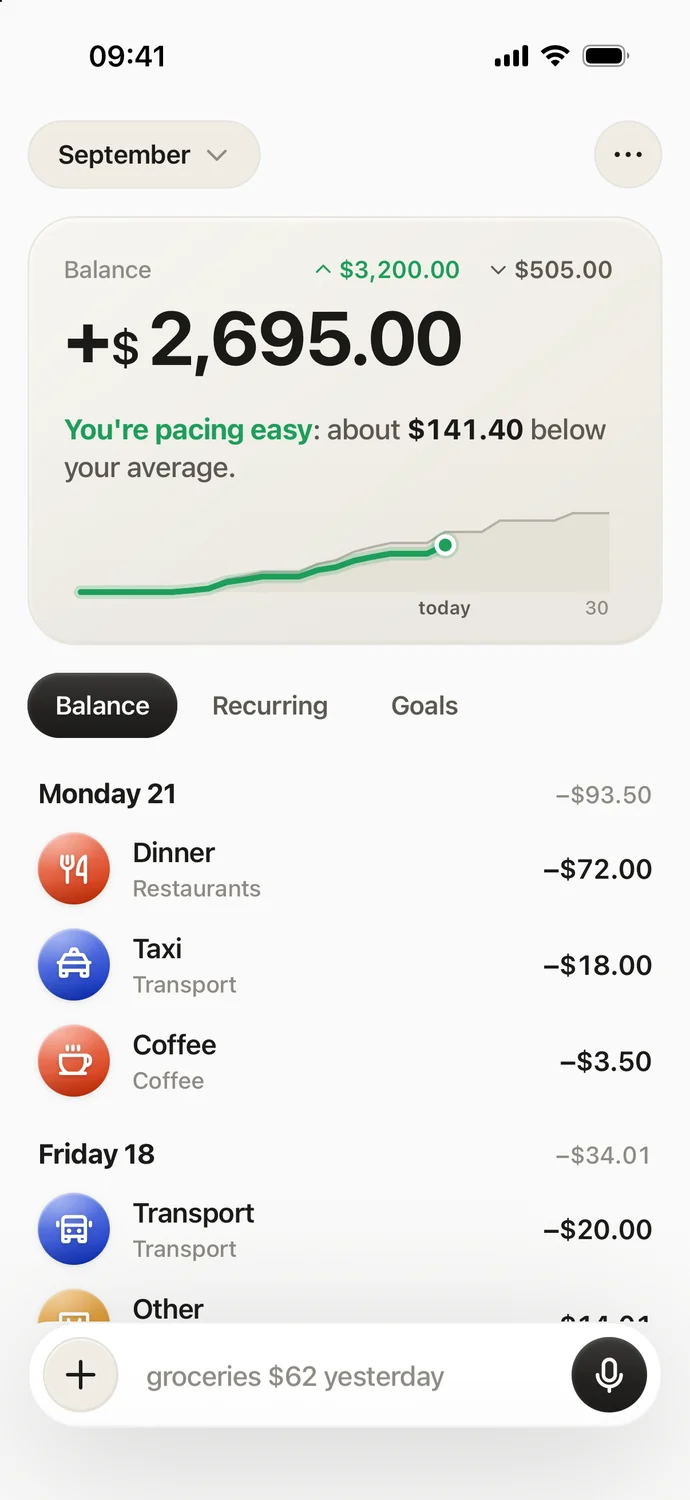
Papirer offers that approach on iPhone using voice, text or receipt photos. It extracts the amount, date and category, with recurring payments and shared lists for ongoing expenses. It does not use Plaid or another bank aggregator. Entries sync with your Papirer account and are processed with AI to understand them, so no bank connection does not mean local-only storage.
In September 2026, Papirer includes 30 new entries a month for free. Pro removes the cap and adds the weekly AI report. You can download Papirer from the App Store if entering expenses suits you; it does not import bank transactions automatically and has no Android version.
Frequently asked questions
What is Plaid?
It is a service apps use to connect to financial accounts. Plaid is separate from both the app requesting access and the bank holding the account.
Does Plaid sell my data?
Plaid says it does not sell or rent financial information. Its privacy policy separately describes sharing through cookies for advertising, so review both statements when deciding.
Does Plaid always get my password?
No: with OAuth, you authenticate on the bank’s website or app. Other connection methods can involve Plaid collecting login details, as described in its policy.
Are budgeting apps safe if they use Plaid?
The connection provider is only part of that assessment. Review the particular app’s permissions, privacy terms, data retention and deletion options as well as the login method.
Sources
- Plaid – What is Plaid?
- Plaid – Privacy policy
- Plaid – OAuth documentation
- Plaid – Security and privacy
- Lieff Cabraser – Final approval of the Plaid settlement
- Courthouse News – Settlement allegations and Plaid’s response
- CFPB – Personal Financial Data Rights rulemaking
- Cozen O’Connor – Section 1033 injunction and reconsideration
- Rocket Money Help – Disconnecting a bank account